I Built a Voice Assistant for the Desktop
by 逆瀬川ちゃん
4 min read
Hi there! This is Sakasegawa (@gyakuse)!
Today I'd like to introduce "ASIST", a voice assistant for the desktop (Windows / Mac) that I built, and go over the parts I worked hard on while making it.
I wanted a general-purpose assistant with a futuristic UI
Personal AI agents have been popping up lately. Well-known examples include dots, Grok Bot, Muse and Manus. They are very well made, but what I really want is something like you see in anime and movies, with several panels floating softly around. Yet even in the 21st century, mid-air displays and AR glasses haven't gone mainstream. So for now I decided to build it as a desktop application.
Before starting, I wrote down what I wanted to value in an AI assistant.
- It feels futuristic
- The conversation feels good
- Its memory is reliable
- It helps with everyday life
- It can do anything on the PC, as long as it's connected to it
- It can be used from anywhere
- It is richly extensible
In the first version of ASIST, I think I managed to do a fair job on all of these except the last two. For the remaining two, I plan to bring in a more general version of an earlier idea for extensibility, and to handle where it can be used as well.
So what is ASIST?
ASIST is a voice assistant for the desktop. When you talk to it, it answers by voice and puts the weather, your schedule or an email draft on cards next to the conversation. Long-running work can be handed off to the codex or claude CLI once you approve it.
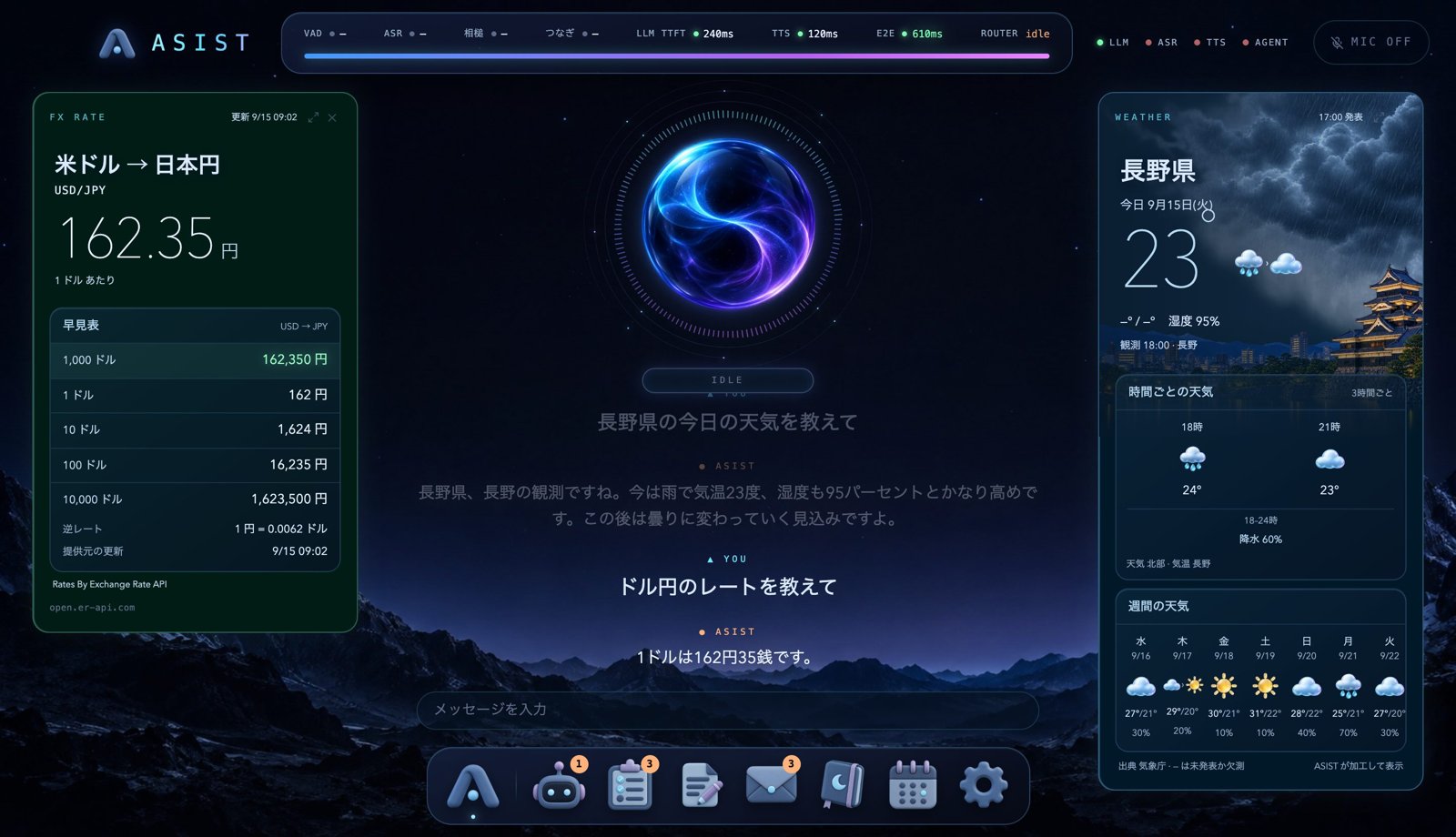
The official site is asist-agent.com. You can download the app from GitHub Releases, and the Install page of the documentation walks through everything from installation to the first-run setup. To run it you need an Apple Silicon Mac (macOS 14 or later) or an x64 Windows 11 PC, plus an API key for the conversation model (one of Anthropic, OpenAI, Google or Cerebras). The source code is open source under the MIT License at nyosegawa/asist.
Here are the main features.
- It talks at a nice tempo
- It opens cards to show you the information you need (there are 16 kinds of cards, including weather, schedule, email, to-dos, exchange rates and maps)
- Tasks, notes, email, the calendar and more open as mini apps inside the application
What I worked hard on in the voice conversation
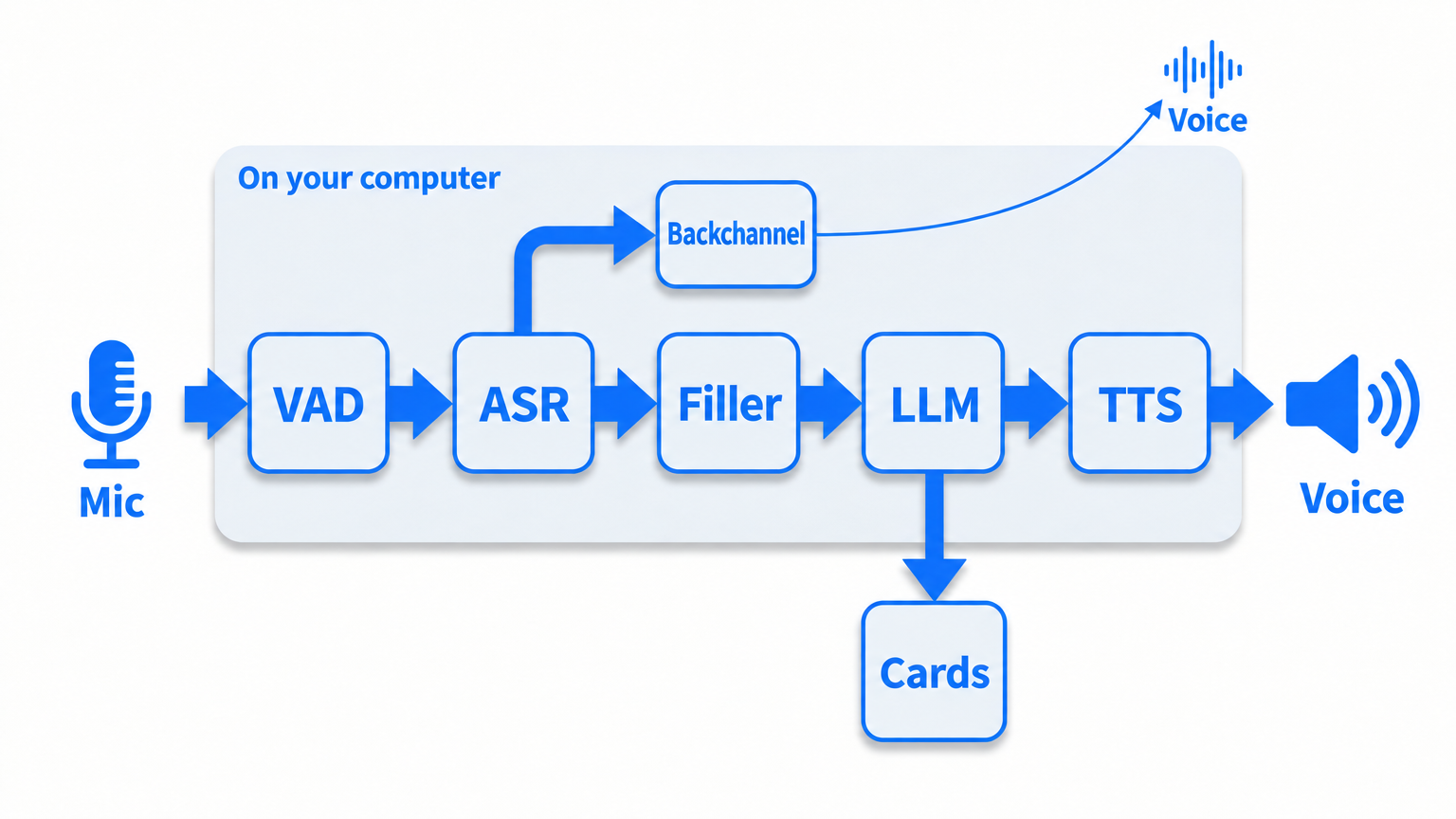
I plan to write a separate, detailed post on this, but the hardest part of a voice assistant is the wait. With a cascade setup (ASR→LLM→TTS), a naive implementation takes about three seconds to respond. So ASIST buys time until the first reaction by slipping in backchannels and similar short responses.
About development
These days I mainly develop with Claude (Opus 5.5), and use Codex (Sol-6.1) for things like evaluating models. Since coding agents became common, all sorts of development environments have come into fashion. I also built a kanban-style agent session manager, even made it work on mobile, and used it for a while, but in the meantime the Claude and Codex desktop apps got good. Just doing things the ordinary way works best.
I also keep Agent Skills to about ten, limited to the things I really do often. Documentation mostly goes stale, so I put decisions in docs/adr and things to do in issues. ADRs go stale too, so let's keep at it.
Making the promotional video
I made a 48-second introduction video for YouTube and X with Claude.
The setup is simple: the scenes are built with HTML and GSAP, headless Chrome captures them every 1/30 of a second, and ffmpeg puts it all together. npm run promo:video rebuilds it at any time. I no longer need frameworks like Remotion or HyperFrames, so I didn't use them this time.
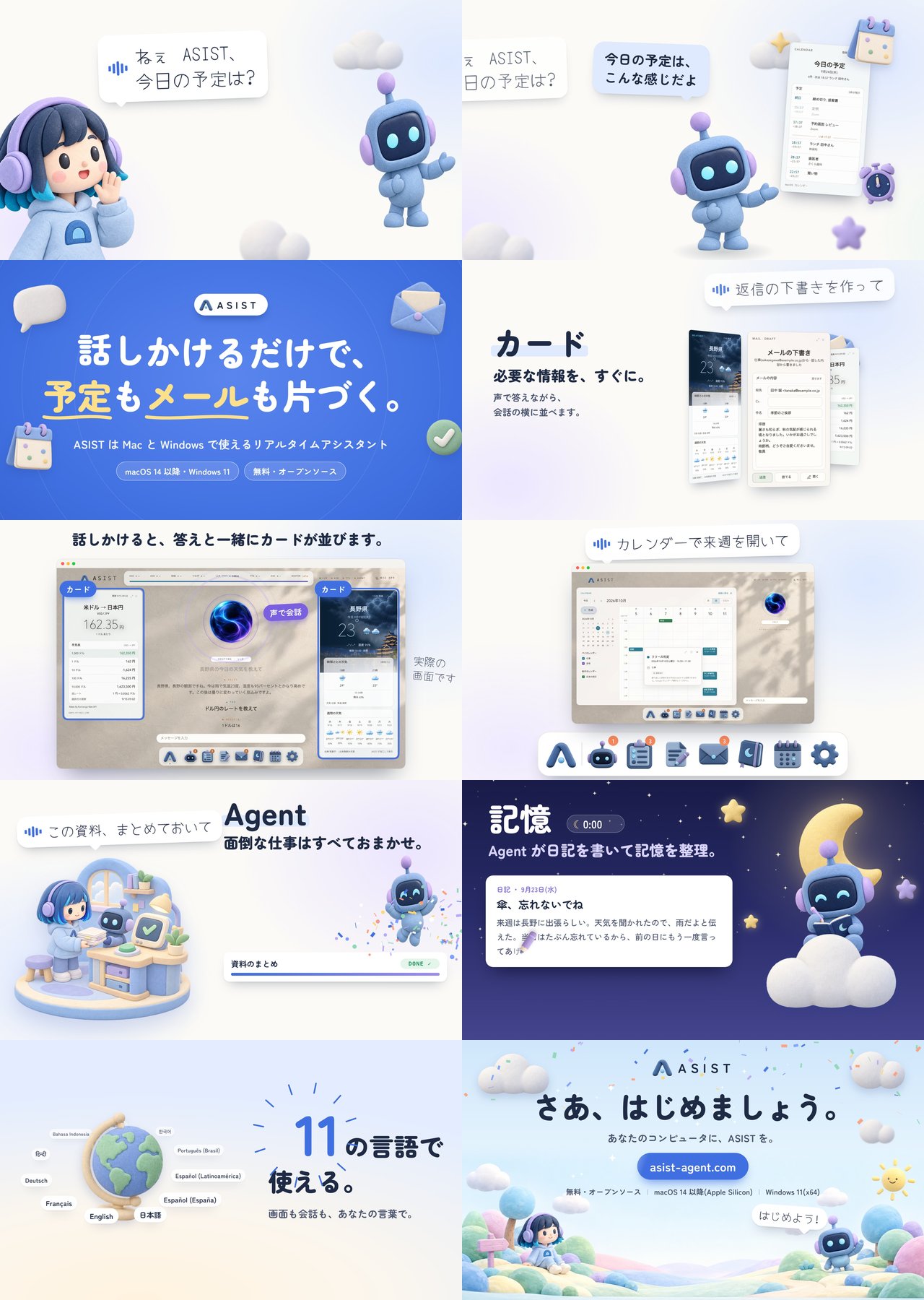
Scene changes and the moments when cards appear are aligned to the beats of the music's tempo (106 BPM). So that fast-moving things blur naturally, each frame is captured 16 times and averaged, which adds motion blur.
For the BGM, I made three candidates with Gemini's Lyria 3.5, played each against the video, and chose the music box one. The track is 58 seconds long, so I joined two points where the chords are very similar, skipped the part in between, and fit it into 48 seconds. The sound effects were written in numpy by a coding agent. What an age we live in.